
7 Best Desk Accessories for a Clean and Organized Workspace in 2027
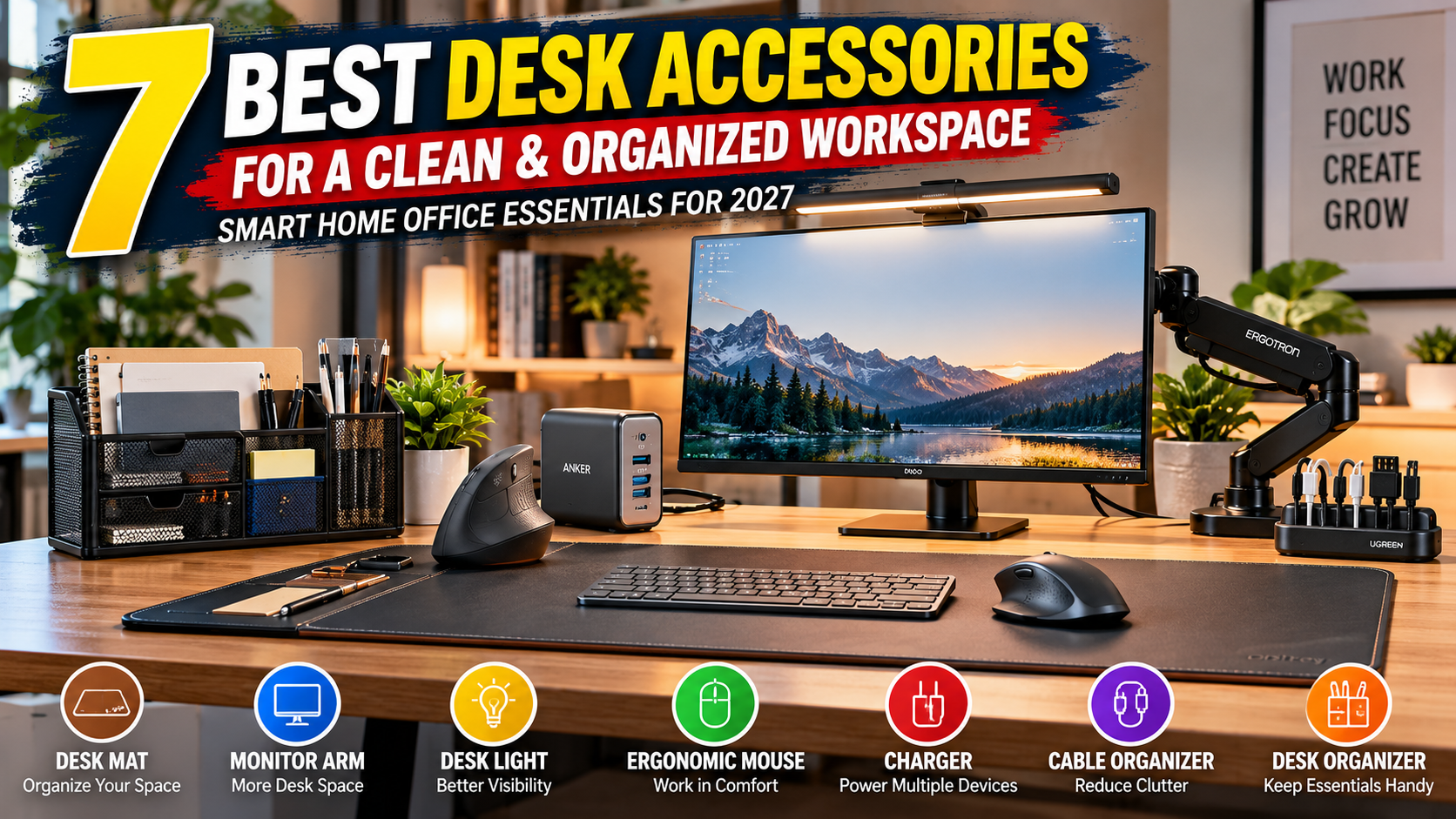
A comfortable workspace starts with practical organization. Small accessories can improve everyday desk usability. They also help keep essential items accessible. Cables, documents, and devices often create clutter. Choosing suitable products can address these problems.
Working from home brings different daily challenges. Some people use laptops throughout the day. Others work with multiple screens and devices. A small desk may need smarter storage. Larger workspaces may benefit from adjustable accessories.
You don't need every available office product. The right accessories depend on your setup. Your working habits should guide each purchase. Available space and device compatibility also matter.
This guide explores seven useful desk accessories. Each product serves a clear practical purpose. We compare features, advantages, and potential drawbacks. You'll also find helpful buying advice.
Quick Answer: What Are the Best Desk Accessories for 2027?
Start by identifying your biggest workspace problem. Desk mats create a defined working surface. Monitor arms can free valuable desktop space. Lighting accessories support desk visibility during work.
Cable organizers help manage loose charging cables. Desktop storage keeps documents and supplies together. Wireless accessories can reduce unnecessary cable clutter.
Our seven selections address different workspace needs.
Affiliate Disclosure: As an Amazon Associate, SupplyUSA earns from qualifying purchases. This article may contain affiliate links. Purchases through these links may generate commissions. There is no additional cost to you.
Quick Comparison: 7 Best Desk Accessories for 2027
| Desk Accessory | Best For | Main Benefit |
|---|---|---|
| 1. Orbitkey Desk Mat Pro | Desk organization | Defined surface and hidden storage |
| 2. Ergotron LX Monitor Arm | Monitor users | Adjustable screen positioning |
| 3. BenQ ScreenBar Halo | Desk lighting | Illumination without a traditional lamp base |
| 4. Logitech Lift Vertical Mouse | Daily computer work | Alternative hand positioning |
| 5. Anker 735 Charger | Device charging | Three charging ports |
| 6. UGREEN Cable Organizer | Cable management | Keeps loose cables organized |
| 7. SimpleHouseware Mesh Desk Organizer | Office supplies | Organized desktop storage |
These accessories address different workspace problems. Their value depends on individual working needs.
Our Top Picks at a Glance
Best for Desk Organization: Orbitkey Desk Mat Pro
Best for Monitor Positioning: Ergotron LX Monitor Arm
Best for Desk Lighting: BenQ ScreenBar Halo
Best for Mouse Ergonomics: Logitech Lift Vertical Mouse
Best for Charging Multiple Devices: Anker 735 Charger
Best for Cable Management: UGREEN Cable Organizer
Best for Office Supply Storage: SimpleHouseware Mesh Desk Organizer
1. Orbitkey Desk Mat Pro: Organize Your Daily Workspace
[INSERT ORBITKEY DESK MAT PRO PRODUCT IMAGE]
Desk clutter can interrupt everyday work routines. Loose papers often occupy valuable working space. Pens and charging cables also need storage.
The Orbitkey Desk Mat Pro addresses these problems. It combines a desk mat with organization features. Its surface creates a defined working area.
A document hideaway stores suitable loose papers. The integrated toolbar organizes smaller desk essentials. A magnetic cable holder manages charging cables.
The mat uses vegan leather and recycled felt. Its design suits several professional desk setups.
Key Features
Organized Working Surface
The mat creates a dedicated desktop area. It accommodates common keyboard and mouse arrangements. Check available sizes before purchasing.
Document Hideaway
A storage section holds loose papers. It can reduce visible document clutter. This feature doesn't replace secure document storage.
Magnetic Cable Holder
The included holder keeps cables accessible. It attaches along the designated toolbar.
Stationery Toolbar
A dedicated area organizes smaller accessories. Pens and other essentials remain within reach.
Pros
- Built-in document storage
- Magnetic cable management
- Dedicated stationery organization
- Multiple available sizes
- Easy-to-clean surface
Cons
- Requires sufficient desk space
- Costs more than basic desk mats
- Hidden storage has limited capacity
- Not necessary for every workspace
Best For
Home office workers managing everyday desk clutter.
Potential Drawback
Large desk mats may overwhelm compact workstations.
Buying Tip
Measure your desk before selecting a size. Consider keyboard and mouse placement.
[Product-ID:B0H1MV7G1K]
2. Ergotron LX Monitor Arm: Create More Desk Space
[INSERT ERGOTRON LX MONITOR ARM PRODUCT IMAGE]
Traditional monitor stands occupy valuable desk space. Some also offer limited positioning adjustments.
A monitor arm provides another mounting option. It can raise the screen above your desktop. This may create additional space underneath.
The Ergotron LX supports adjustable monitor positioning. Its arm allows height and viewing adjustments. Compatible models attach through supported mounting methods.
The standard LX supports various monitor sizes. Actual compatibility depends on several specifications.
Key Features
Adjustable Monitor Position
The arm supports different viewing arrangements. Users can adjust screen height and direction. Proper positioning depends on individual preferences.
Desk Space Management
The mounting system raises compatible monitors. This can free space beneath the screen.
Flexible Screen Movement
The arm supports tilt and rotation adjustments. Users can change monitor orientation when supported.
Integrated Cable Management
Cable routing helps manage connected monitor wires.
Pros
- Flexible monitor positioning
- Frees desktop space
- Supports compatible VESA monitors
- Cable management features
- Multiple mounting arrangements
Cons
- Requires compatible monitor mounting
- Desk thickness restrictions apply
- Installation takes additional effort
- Higher price than basic monitor stands
Best For
Remote workers using external desktop monitors.
Potential Drawback
Not every desk or monitor supports mounting.
Buying Tip
Check screen weight and VESA compatibility. Verify desk thickness and mounting requirements.
[Product-ID:B076T39VLV]
3. BenQ ScreenBar Halo: Practical Monitor Lighting
[INSERT BENQ SCREENBAR HALO PRODUCT IMAGE]
Working in dim rooms can feel inconvenient. Ordinary desk lamps also occupy surface space.
Monitor light bars offer another lighting arrangement. They attach to compatible monitor designs. This keeps the desktop area more open.
The BenQ ScreenBar Halo provides adjustable lighting. It combines front lighting with rear illumination. Its controller supports convenient lighting adjustments.
The light uses USB power. Monitor compatibility depends on screen thickness and shape.
Key Features
Monitor-Mounted Design
The light sits above compatible screens. It doesn't require a traditional desk base.
Adjustable Lighting
Users can change lighting brightness and color temperature. This supports different working environments.
Rear Ambient Lighting
The rear light illuminates the surrounding wall. This adds another lighting option.
Wireless Controller
A separate controller manages lighting settings. The controller uses AAA batteries.
Pros
- Saves desktop surface space
- Adjustable lighting options
- Front and rear illumination
- Dedicated wireless controller
- Suitable for compatible monitor setups
Cons
- More expensive than basic desk lamps
- Requires compatible monitor dimensions
- Needs USB power
- Controller requires batteries
Best For
Monitor users seeking adjustable desk illumination.
Potential Drawback
Some monitor shapes may require compatibility checks.
Buying Tip
Check monitor thickness and mounting compatibility. Consider your room's existing lighting conditions.
[Product-ID:B0CZ9P1QW9]
4. Logitech Lift Vertical Mouse: An Alternative Mouse Design
[INSERT LOGITECH LIFT VERTICAL MOUSE PRODUCT IMAGE]
Computer work often involves repeated mouse movements. Traditional mouse shapes aren't preferred by everyone.
Vertical mice offer another hand position. Their design differs from conventional desktop mice.
The Logitech Lift uses a vertical shape. Its grip positions the hand at 57 degrees. Logitech designs it for smaller and medium-sized hands.
The mouse supports wireless connectivity. It also includes configurable navigation controls.
Key Features
57-Degree Vertical Design
The upright design offers alternative hand positioning. Comfort varies between individual users.
Wireless Connectivity
It supports Bluetooth and Logi Bolt connections. Compatible devices can connect without a mouse cable.
SmartWheel Scrolling
The scrolling wheel supports different scrolling speeds. This helps navigate documents and pages.
Adjustable Pointer Sensitivity
Users can adjust mouse tracking sensitivity. Supported settings reach up to 4,000 DPI.
Long Battery Life
Logitech advertises up to 24 months. Actual battery life depends on usage.
Pros
- Alternative vertical grip design
- Wireless connection options
- Adjustable pointer sensitivity
- Quiet clicking
- Available left-handed version
Cons
- Vertical shapes require adjustment time
- May not suit larger hands
- Uses a replaceable AA battery
- More expensive than basic mice
Best For
Computer users interested in alternative mouse designs.
Potential Drawback
The unusual grip may not suit everyone.
Buying Tip
Consider hand size and preferred grip. Select the correct left or right version.
[Product-ID:B07FNJB8TT]
5. Anker 735 Charger: Charge Multiple Office Devices
[INSERT ANKER 735 CHARGER PRODUCT IMAGE]
Modern desks often contain several electronic devices. Phones and laptops need regular charging. Multiple adapters can occupy nearby wall outlets.
A multiport charger offers another charging arrangement. The Anker 735 includes three charging ports. It supports compatible phones, tablets, and laptops.
The Nano II version delivers up to 65W. This maximum applies to supported single-port charging. Power distribution changes when multiple devices connect.
Key Features
Three Charging Ports
The charger includes two USB-C ports. It also includes one USB-A port.
65W Maximum Output
A compatible single USB-C device receives up to 65W. Actual charging depends on device requirements.
Compact Design
The charger uses a relatively small housing. This can reduce bulky adapter arrangements.
GaN II Technology
The charger uses gallium nitride technology. This supports its compact power design.
Pros
- Three charging ports
- Compact construction
- Supports compatible laptops and phones
- USB-C and USB-A connections
- Multiple-device charging capability
Cons
- Power gets shared between connected devices
- Charging cables may be sold separately
- Some laptops require higher power
- Doesn't remove cable clutter completely
Best For
Remote workers charging several compatible devices.
Potential Drawback
Maximum charging power decreases with multiple devices.
Buying Tip
Check each device's charging requirements. Compare supported USB charging specifications.
[Product-ID:B0DLK2XXMF]
6. UGREEN Cable Organizer: Manage Loose Desk Cables
[INSERT UGREEN CABLE ORGANIZER PRODUCT IMAGE]
Charging cables often fall behind desks. Extra wires can also create visual clutter.
Cable organizers help manage these small problems. They hold suitable cables in designated positions. Different products use clips, channels, or holders.
UGREEN offers cable management accessories for desks. Specific designs vary by product model. Some attach to suitable desktop surfaces.
Choose an organizer matching your cable arrangement.
Features to Consider
Cable Holding Capacity
Check how many cables each organizer supports. Select slots matching your actual setup.
Surface Compatibility
Some holders use adhesive mounting. Others use different attachment methods. Always check the recommended mounting surface.
Cable Size Compatibility
Different cables have different thicknesses. Check supported diameters before purchasing.
Easy Cable Access
A useful organizer keeps cables within reach. Consider whether cables are easy to remove.
Pros
- Helps manage loose charging cables
- Can reduce visible cable clutter
- Suitable for compact desks
- Multiple configurations available
- Usually requires little installation space
Cons
- Some adhesives may leave residue
- Cable size compatibility varies
- Small holders have limited capacity
- Not suitable for every desk surface
Best For
Home office users managing multiple charging cables.
Potential Drawback
Some organizers don't suit thicker cables.
Buying Tip
Count your cables before choosing a model. Check the mounting surface and cable sizes.
[Product-ID:B0BZ3GHM8N]
7. SimpleHouseware Mesh Desk Organizer: Organize Office Supplies
[INSERT SIMPLEHOUSEWARE DESK ORGANIZER PRODUCT IMAGE]
Paperwork can accumulate during busy workdays. Pens and small supplies also need storage.
A desktop organizer creates designated storage sections. This can reduce scattered office supplies.
SimpleHouseware offers mesh desktop organization products. Available models include different storage arrangements. Some prioritize documents and letter trays. Others provide compartments for smaller supplies.
Choose a specific model matching your needs.
Features to Consider
Document Storage
Look for compartments matching your paper sizes. Letter trays can separate different documents.
Stationery Compartments
Smaller sections help organize office supplies. Pens and notepads remain easier to locate.
Desk Footprint
Organizers occupy different amounts of desk space. Measure the intended placement area first.
Construction Materials
Mesh metal designs offer an open appearance. Check finish quality and structural stability.
Pros
- Organizes everyday office supplies
- Provides dedicated storage areas
- Useful for paper-based work
- Multiple configurations available
- Simple desktop placement
Cons
- Occupies valuable surface space
- Open compartments collect dust
- Storage capacity varies by model
- Not suitable for secure document storage
Best For
Remote workers managing paperwork and stationery.
Potential Drawback
Large organizers may crowd smaller desks.
Buying Tip
Choose compartments matching your office supplies. Avoid purchasing more storage than necessary.
[Product-ID:B075FGGPXV]
Which Desk Accessories Should You Buy First?
Not every workspace requires seven new products. Start with accessories solving your main problems.
| Workspace Type | Suggested Accessories |
|---|---|
| Small Home Office | Monitor arm, cable organizer |
| Laptop Workspace | Desk mat, multiport charger |
| Dual-Monitor Setup | Compatible monitor mounting accessories |
| Paper-Based Office | Desk organizer, document storage |
| Minimalist Workspace | Desk mat, cable organizer |
| Evening Workspace | Adjustable desk lighting |
| Everyday Computer Work | Suitable mouse, charging accessories |
A practical setup doesn't require every accessory. Select products matching your available space.
How to Choose Desk Accessories in 2027
1. Measure Your Workspace
Start by checking available desk dimensions. Large accessories can crowd compact workstations. Consider space for keyboards and other equipment.
2. Identify Your Main Problem
Different accessories solve different workspace issues. Cable clutter requires different solutions than lighting. Choose products addressing your actual needs.
3. Check Device Compatibility
Electronic accessories have specific compatibility requirements. Monitor arms require suitable mounting systems. Chargers must match device power requirements.
4. Compare Product Materials
Materials influence durability and everyday maintenance. Metal accessories offer different characteristics from plastic. Desk mats also use various surface materials.
5. Consider Practical Adjustability
Adjustable accessories may offer useful flexibility. However, extra features aren't always necessary. Focus on functions you will actually use.
6. Review Customer Feedback
Customer reviews may reveal recurring product concerns. Look for detailed experiences and relevant examples. Avoid choosing products based solely on ratings.
7. Review Warranty and Returns
Manufacturer warranties vary between different accessories. Review coverage and return conditions before purchasing.
8. Set a Practical Budget
Start with the most useful accessory first. Expensive desk equipment isn't always necessary. Compare features against your actual requirements.
Desk Accessories You May Not Need
Some products provide limited value for certain setups. Large organizers can occupy valuable desk space. Additional lighting may be unnecessary in bright rooms.
Premium accessories may offer features you rarely use. Multiple charging products can create redundant equipment.
Avoid buying everything from a product list. Consider how frequently you'll use each accessory.
Practical Home Office Organization Tips
Keep everyday essentials nearby. Store frequently used supplies within convenient reach.
Separate charging cables. Use appropriate cable holders or organizers.
Organize paperwork regularly. Move unnecessary documents into suitable storage.
Review monitor placement. Adjust screens based on your working setup.
Maintain suitable lighting. Avoid distracting reflections and excessive glare.
Clean desktop surfaces. Follow manufacturer instructions for different materials.
Avoid overcrowding. Leave enough space for normal work activities.
Check accessory compatibility. Verify requirements before installing new equipment.
Frequently Asked Questions
What are the best desk accessories for 2027?
Useful accessories include mats and monitor arms. Cable organizers also help manage loose wires. Choose based on your specific workspace needs.
Which desk accessories help reduce clutter?
Cable organizers help manage charging cables. Desk organizers provide storage for smaller supplies. Monitor arms may free additional surface space.
Are desk mats worth buying?
Desk mats create a defined working surface. Some models include additional organization features. Their usefulness depends on your setup.
Do monitor arms fit every monitor?
No, compatibility varies between monitor models. Check VESA mounting and weight requirements. Desk mounting compatibility also matters.
Are monitor light bars useful?
Monitor light bars provide focused desktop illumination. They may reduce the need for lamp bases. Compatibility and lighting preferences vary between users.
Are vertical mice better than regular mice?
Vertical mice offer different hand positioning. Comfort depends on individual preferences and fit. No mouse shape works best for everyone.
Can one charger power several devices?
Some multiport chargers support several connected devices. Available power gets distributed between charging ports. Check individual device charging requirements.
How should I organize desk cables?
Start by identifying frequently used cables. Separate unnecessary wires from active connections. Use holders compatible with your cable sizes.
What desk accessories suit small apartments?
Compact accessories can help preserve available space. Cable organizers and monitor arms are options. Check dimensions before purchasing.
Should I buy expensive office accessories?
Higher prices don't always mean better suitability. Compare features against your actual working needs. Choose products offering useful everyday benefits.
Shop the Featured Desk Accessories
1. Orbitkey Desk Mat Pro
[CHECK PRICE ON AMAZON]
[INSERT AMAZON AFFILIATE LINK]
2. Ergotron LX Desk Monitor Arm
[CHECK PRICE ON AMAZON]
[INSERT AMAZON AFFILIATE LINK]
3. BenQ ScreenBar Halo
[CHECK PRICE ON AMAZON]
[INSERT AMAZON AFFILIATE LINK]
