Best Networking Products for Home & Small Office

If your WiFi feels slow, calls drop, or files take too long to move, the fix is often not your internet plan. It is your network gear. The right gear can give you steady speed, better range, and fewer daily issues. This guide covers the best networking products for home small office, with simple picks that work well in 2026.
Many people buy the most costly router and hope it fixes everything. Real results come from a clear order. First, fix WiFi coverage. Next, fix wired speed for key devices. Then add security and control if you need it.
Why networking matters for home small office in 2026
In 2026, more homes and small offices depend on stable internet from morning to night. Work is no longer “online sometimes.” For many people it is online all day. Meetings happen on video. Files live in cloud drives. Teams send large folders back and forth. Even simple tasks like printing, scanning, and backups now depend on the network staying steady.
At the same time, the number of devices inside one home or small office has grown. A few years ago, you might have had one laptop and one phone. Now you may have two or three phones, a work laptop, a home laptop, a smart TV, a game console, a smart speaker, and smart lights. Add a doorbell camera, two indoor cameras, and maybe a baby monitor, and your network is under load all the time. Each device may not use much speed alone, but together they can stress basic gear.
Video calls are one of the biggest reasons people feel network issues fast. A video call needs steady upload, not only download. When the upload becomes unstable, the call starts to freeze, voices break, and the image turns blurry. Even if you pay for fast internet, a weak router or poor WiFi coverage can still cause these problems. You may think the internet is slow, but the real issue can be WiFi signal, router load, or bad placement.
How to choose the best networking products for home small office
Before you buy, check three things. Space size, work type, and device load.
Check your space size
A small flat may work with one strong router. A larger home, or thick walls, often needs mesh or an access point.
Check your work type
Email and light web use need less power. Video calls, large uploads, and NAS backups need stronger routing and better wired ports.
Check ports and wired speed
Many newer devices use 2.5G or 10G ports. These help when you have fast fiber or move large files on your local network. TP Link lists 10G connectivity on the Deco BE85 system.
Set a clear budget
Spend more on coverage and stability first. Add advanced security later if needed.
Best networking products for home small office
Here are 5 product picks that cover the main needs. Whole home WiFi, high end router power, security, wired speed, and extra WiFi coverage.
1) TP Link Deco BE85
This is a tri band WiFi 7 mesh system made for whole home coverage. TP Link lists WiFi 7, tri band speed up to 22 Gbps, and 10G connectivity, with support for many devices.
Mesh can beat one router in many homes. It helps with dead zones and weak rooms. It is also simple to manage in an app.
Best for
Homes with many rooms
Homes with many devices
Small offices that want one simple setup WiFi 7 works best with WiFi 7 devices. Even with WiFi 6 devices, mesh can still improve range and stability.
About this item
- 𝐔𝐥𝐭𝐢𝐦𝐚𝐭𝐞 𝐁𝐄𝟐𝟐𝟎𝟎𝟎 𝐓𝐫𝐢-𝐁𝐚𝐧𝐝 𝐖𝐢-𝐅𝐢 𝟕 𝐒𝐩𝐞𝐞𝐝𝐬: Deco 7 Elite BE85 is designed with the latest Wi-Fi 7 technology, featuring Multi-Link Operation, Multi-RUs, 4K-QAM, and 320 MHz channels. With speeds of 11520 Mbps on the 6GHz band, 8640 Mbps on the 5GHz band, and 1376 Mbps on the 2.4GHz band, the 1 pack mesh connects over 200 devices without dragging down performance and delivers unparalleled Wi-Fi performance.
- 𝐏𝐫𝐨-𝐆𝐫𝐚𝐝𝐞 𝐃𝐮𝐚𝐥 𝟏𝟎𝐆 𝐖𝐀𝐍/𝐋𝐀𝐍 𝐏𝐨𝐫𝐭𝐬: Equipped with two 10G WAN/LAN ports—one RJ45 port and one SFPplus Fiber/RJ45 Ethernet combo port—Deco 7 Elite BE85 provides flexible support for both fiber and copper connections. The additional two 2.5G ports and a USB 3.0 port make it an ideal solution for future-proofing your home network.
- 𝐒𝐢𝐦𝐮𝐥𝐭𝐚𝐧𝐞𝐨𝐮𝐬 𝐖𝐢𝐫𝐞𝐥𝐞𝐬𝐬 plus 𝐖𝐢𝐫𝐞𝐝 𝐁𝐚𝐜𝐤𝐡𝐚𝐮𝐥: Through TP-Link’s self-developed technology, Deco BE85 can connect to wireless and wired backhaul simultaneously, taking full advantage of the WiFi 7 technology and giving you a faster speeds and wider coverage.
- 𝐀𝐈-𝐃𝐫𝐢𝐯𝐞𝐧 𝐒𝐞𝐚𝐦𝐥𝐞𝐬𝐬 𝐑𝐨𝐚𝐦𝐢𝐧𝐠: The Deco Mesh forms a unified network with a single network name. With built-in AI-Roaming technology, it creates the ideal WiFi solution with its advanced algorithms and self-learning. Walk through your home and enjoy seamless streaming at the fastest possible speeds.
- 𝐓𝐏-𝐋𝐢𝐧𝐤 𝐇𝐨𝐦𝐞𝐒𝐡𝐢𝐞𝐥𝐝: TP-Link’s premium security service keeps your home network safe with cutting-edge network and IoT protection. Free features: 1. Basic Network Security including Security Scan and IoT Device Identification 2. Basic Parental Controls 3. Quality of Service 4. Basic Weekly/Monthly Reports. Visit TP-Link website for more information.
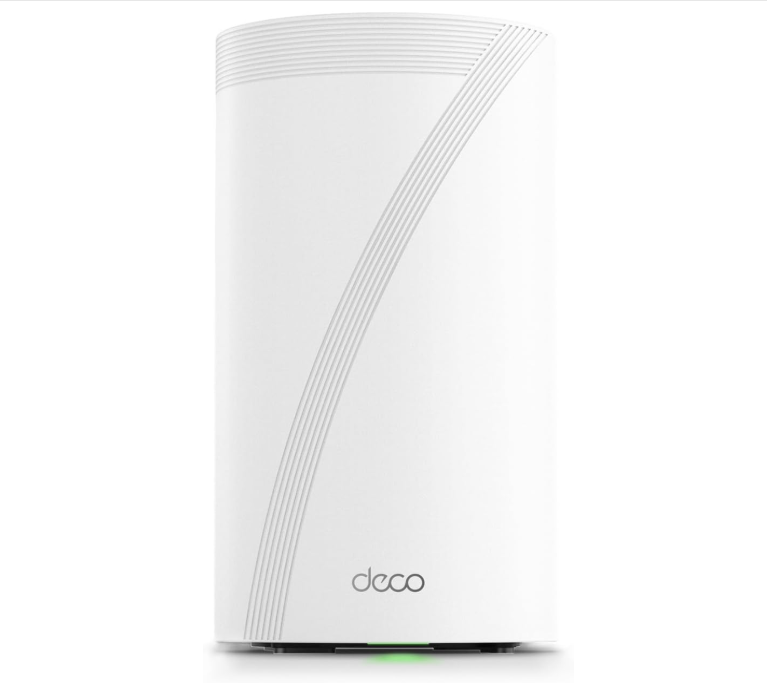
2) FortiGate 40F
FortiGate 40F is a compact, fanless next gen firewall built for small offices and branch sites that need solid security plus SD WAN in one box. It runs FortiOS and can be managed locally or remotely, with “zero touch” style deployment often used for remote sites. A strong single router can work very well in a smaller space or open layout. It can also fit users who want more router settings than many mesh systems offer.
Best for
In practice, 40F is best when you want stable routing, strong policy control, and security inspection for a small site without needing a big rack device. A solid review notes it supports common branch needs like antivirus, app control, IPS, web filtering, VPN, and URL filtering, and can be deployed with minimal local IT. Place it near the center of your home or office. Keep it off the floor. Keep it away from metal items.
About this item
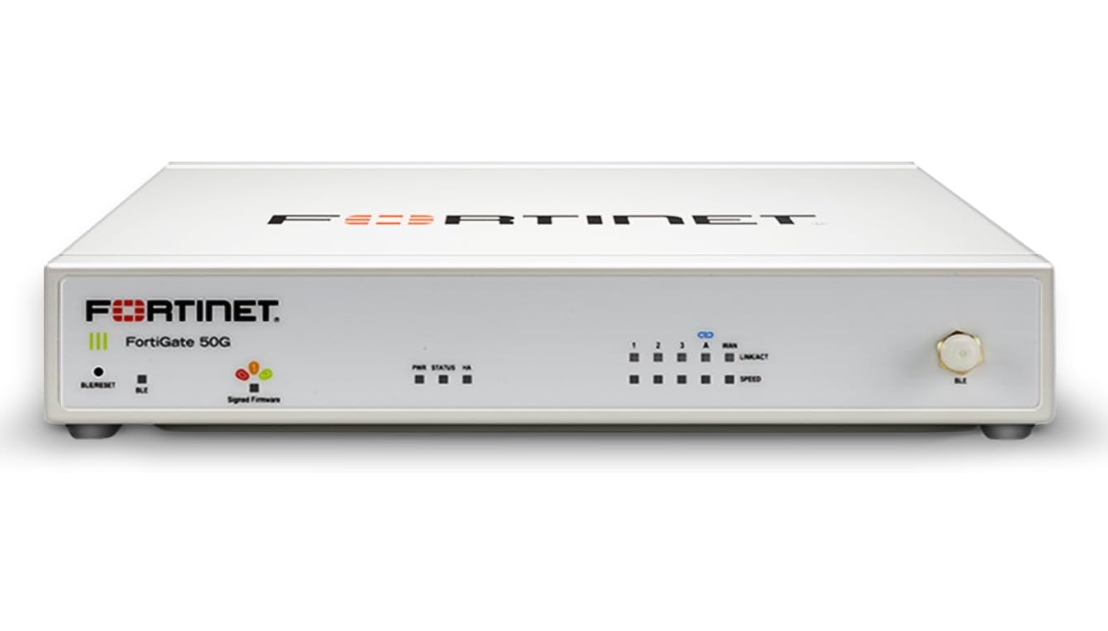
3) Synology DiskStation DS1522+
This bundle is basically a ready to run storage server for a home office or a small office. You are not only buying storage space. You are buying a system that can centralize files, protect them, back them up, and share them with people in a controlled way. The DS1522+ is one of Synology’s “Plus” series models, which is usually aimed at users who want more reliability and more options than entry level NAS boxes.
Why it is a strong pick
Most home routers offer basic security. A dedicated firewall router gives stronger control, clear views, and better rules for devices.
Best for
Home office and small office file server
Shared folders, user access, team files, work documents, and smooth day to day storage.
Automatic backups for PCs and phones
Central backup for multiple laptops/desktops, plus phone photo backup and version restore.
NAS for a small team
Great when 3 to 20 people need shared storage, permissions, and reliable uptime.
Large file storage and transfer (with the right network)
Design files, photo libraries, project folders, archive storage. Even better if you add 10GbE later.
Private cloud style setup
Remote file access, sync, and sharing links for clients without using public cloud for everything.
Safe long term storage with data protection
SHR or RAID, snapshots, and strong control for important files.
Many people use Firewalla for routing and security and use mesh or access points for WiFi.
About this item
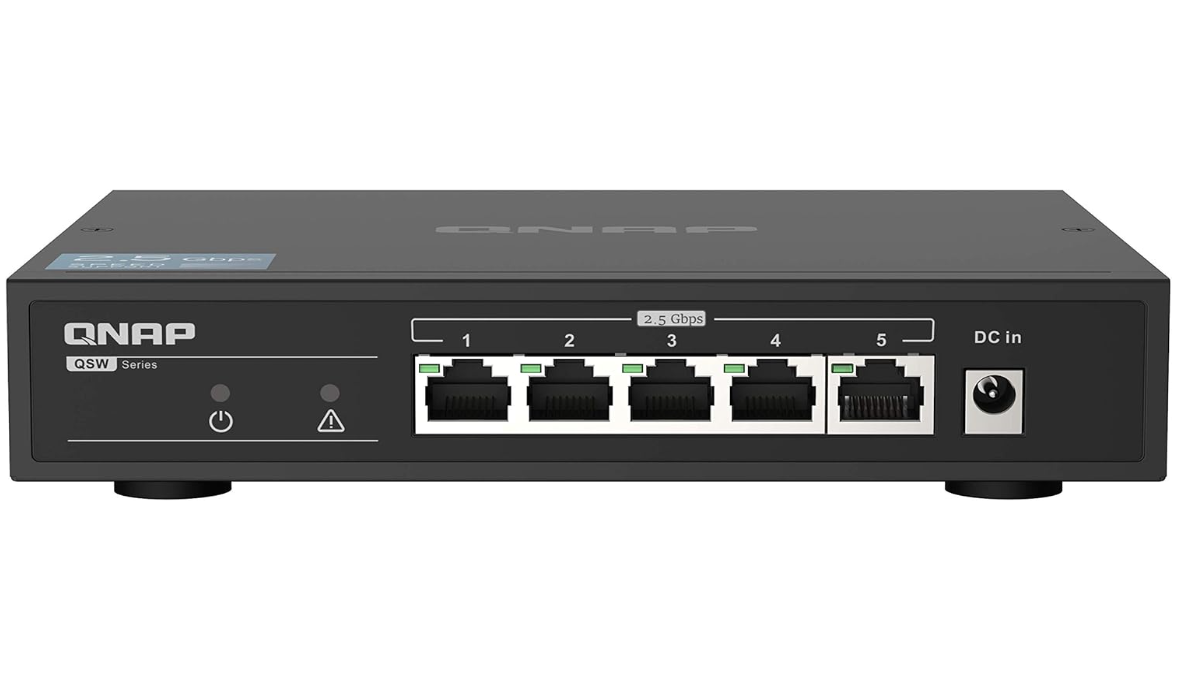
4) QNAP QSW 1105 5T
A 2.5G switch can speed up local file moves and reduce network limits. QNAP lists this model as an unmanaged switch with five 2.5GbE ports and a fanless design.
Why it is a strong pick
It is simple and quiet. It can boost wired speed for a desktop, NAS, or access point.
Best for
Anyone with a NAS
People who move large files at home
Small offices with many wired devices. Connect the router to the switch, then connect key devices to the switch.
About this item
𝐈𝐧𝐬𝐭𝐚𝐧𝐭 𝟐.𝟓𝐆𝐛𝐄 𝐍𝐞𝐭𝐰𝐨𝐫𝐤 𝐔𝐩𝐠𝐫𝐚𝐝𝐞: QNAP QSW 1105 5T comes with 5 high speed 2.5GbE RJ45 ports, so you can boost wired speed right away for your PC, NAS, or access point. It is made to upgrade your network without changing your setup style.
𝐔𝐬𝐞 𝐄𝐱𝐢𝐬𝐭𝐢𝐧𝐠 𝐂𝐚𝐭 𝟓𝐞 𝐂𝐚𝐛𝐥𝐞𝐬 𝐚𝐧𝐝 𝐆𝐞𝐭 𝐔𝐩 𝐭𝐨 𝟐.𝟓𝐱 𝐅𝐚𝐬𝐭𝐞𝐫: QNAP says you can multiply network speed by 2.5 times while using existing Cat 5e cables, so it is a simple upgrade that does not force new wiring for most homes and small offices.
𝐏𝐥𝐮𝐠 𝐚𝐧𝐝 𝐏𝐥𝐚𝐲 𝐖𝐢𝐭𝐡 𝐀𝐮𝐭𝐨 𝐍𝐞𝐠𝐨𝐭𝐢𝐚𝐭𝐢𝐨𝐧: This is an unmanaged switch, so there are no settings to learn. Auto negotiation helps each port pick the best link speed for the device you plug in, so older 1G devices can still work fine next to 2.5G devices.
𝐋𝐨𝐨𝐩 𝐃𝐞𝐭𝐞𝐜𝐭𝐢𝐨𝐧 𝐚𝐧𝐝 𝐁𝐥𝐨𝐜𝐤𝐢𝐧𝐠 𝐅𝐨𝐫 𝐒𝐭𝐚𝐛𝐥𝐞 𝐍𝐞𝐭𝐰𝐨𝐫𝐤: If someone plugs cables the wrong way and makes a loop, the switch can detect and block the loop to keep the network running without a full outage.
𝐒𝐢𝐥𝐞𝐧𝐭 𝐅𝐚𝐧𝐥𝐞𝐬𝐬 𝐃𝐞𝐬𝐢𝐠𝐧 𝐅𝐨𝐫 𝐃𝐞𝐬𝐤 𝐔𝐬𝐞: The QSW 1105 5T uses a fanless design with ventilated construction for near silent operation, so it fits well in a home office or small office desk area.
5) Ubiquiti UniFi U6 Plus
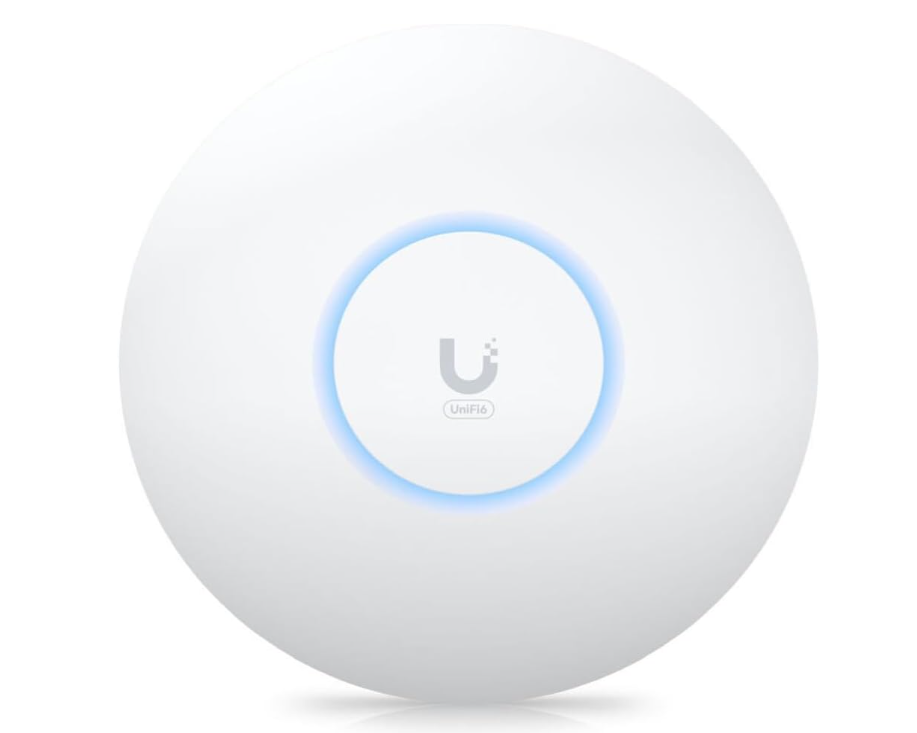
If you already have a router you like and need better WiFi in one area, an access point can help. Ubiquiti lists the U6 Plus with a GbE port and low power use.
Why it is a strong pick
An access point can improve WiFi in a home office room, a front desk area, or a meeting room. It can also reduce load on your main router WiFi.
Best for
One weak WiFi room
Small offices with a key work area
Users who want clean WiFi coverage without full mesh
UniFi is not hard, but it is more hands on than basic home WiFi apps.
About this item
- Create a reliable wireless business network with this wireless access point that features a high-speed data transfer rate
- 3 Gbit/s wireless transmission speed provides high and efficient communication with maximum efficiency
- IEEE 802.11 a/b/g/n/ac/ax wireless LAN standard ensures trouble-free and convenient connectivity
- Gigabit Ethernet port for ultra-fast wired network speeds
- PoE+ port to receive data and power of up to 25.5W through a single cable in places where a power outlet is not available
- Data Encryption feature effectively protects your precious and valuable data from unauthorized access
- Wall Mountable form factor ensures maximum comfort and pain, fatigue-free usage
Best buy order for home small office networking products
If you want fewer issues and better results, buy in this order. Buy camera visit : Supplysua
Step 1: Fix WiFi coverage first
For many homes, mesh is the fastest fix for dead zones. Deco BE85 is a strong WiFi 7 mesh option.
Step 2: Fix wired speed for key devices
Add a 2.5G switch like QSW 1105 5T if you use a NAS or move files often.
Step 3: Add security only when you need it
If you run a small office, or want strong device control, a firewall router like Firewalla Gold Plus can be worth it.
Do you need WiFi 7 for home small office in 2026
WiFi 7 can be great, but it is not required for all people. Many guides highlight WiFi 7 as a top choice going into 2026, but they also stress value and fit.
Simple rule for WiFi 7
If you buy new gear in 2026 and plan to keep it for years, WiFi 7 is a safe choice if it fits your budget. If you want lower cost, WiFi 6 or WiFi 6E can still be very good.
Common mistakes when buying networking products for home small office
Many slow networks come from simple errors, not bad brands.
Buying for speed only
Range and stability matter more for most people.
Bad router placement
A great router in a bad spot can still feel weak.
Ignoring wired limits
Fast WiFi does not help if your switch or ports are old.
Using one device to fix all issues
Often, mesh plus a switch gives better results than one costly router.
FAQ about best networking products for home small office
What is the best first upgrade
For many people, better WiFi coverage is the best first upgrade. Mesh often fixes dead zones fast.
Do I need a switch
If you have a desktop, a NAS, or several wired devices, a switch is a smart upgrade. A 2.5G switch can help local speed a lot.
Is a firewall router worth it
If you run a small office or want strong control, it can be worth it. Firewalla Gold Plus is built for deeper security and multi gig ports.The best networking products for home small office are the ones that match your space and your work. For many people, a strong mesh system plus a simple multi gig switch is the best base. If you need more control, add a security router or an access point. Buy in the right order and you will get better speed, better range, and fewer issues each day.