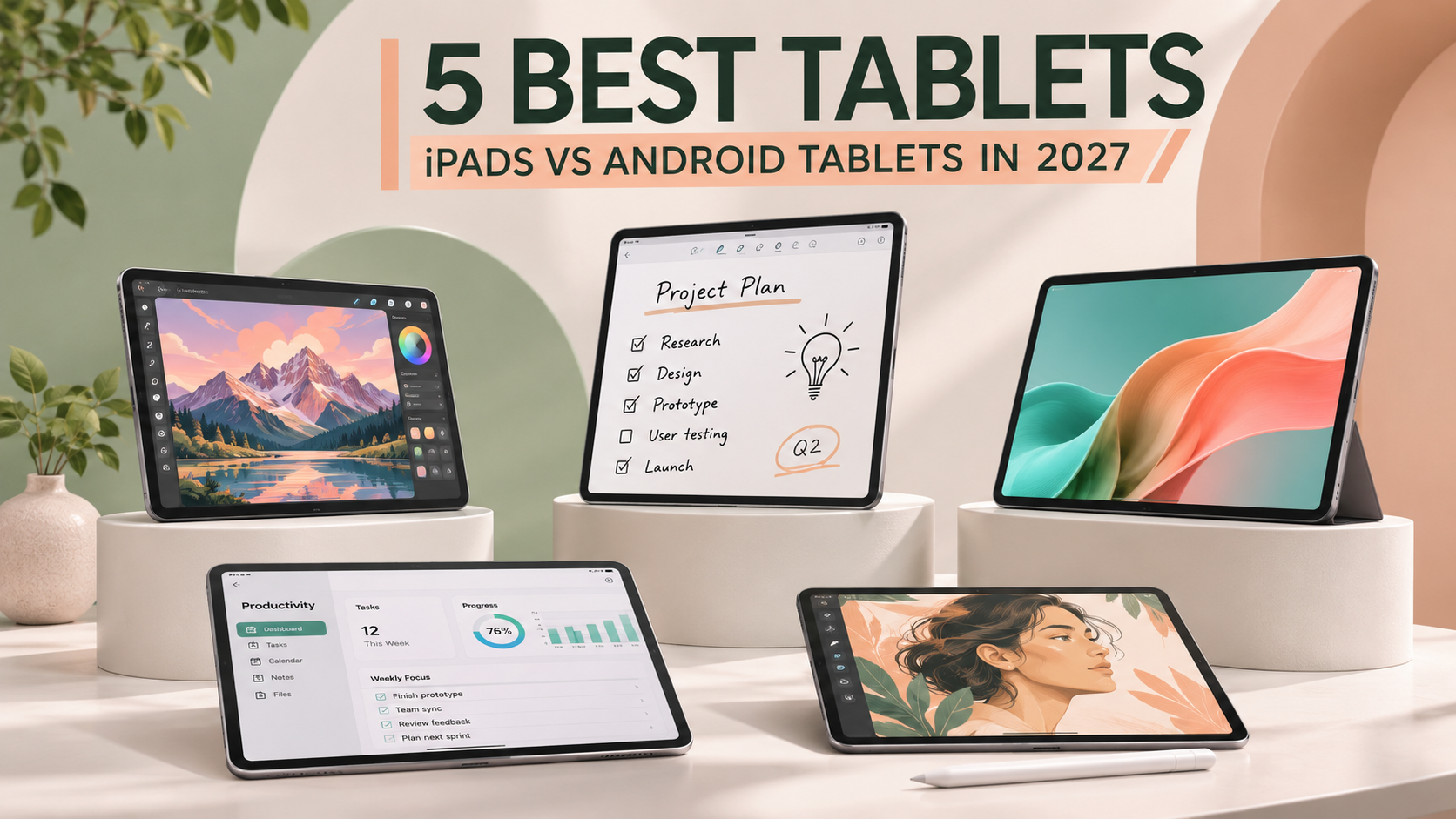
5 Best Tablets in 2027: iPads and Android Tablets Compared
A good tablet can simplify everyday tasks. Students use tablets for notes and research. Others enjoy reading, drawing, and watching videos. Some people even replace laptops for lighter work.
However, tablets aren't all designed alike. Some offer powerful processors and premium displays. Others focus on affordability and simple tasks. Accessories can also change the experience considerably.
Apple and Android provide different tablet experiences. Apple's iPads work closely with other Apple devices. Android tablets offer more hardware choices and flexibility.
The best tablet depends on your needs. A student might prioritize a digital pen. A designer may prefer a premium screen. Families often want affordable entertainment devices.
This guide compares five useful tablet models. We explain their features, specifications, and limitations. You'll also find practical buying advice.
Our comparisons use published manufacturer information. We haven't independently tested these tablets. Models and prices may change during 2027.
Quick Answer: What Are the Best Tablets in 2027?
The iPad Air M4 offers balanced performance. The standard iPad A16 provides affordable everyday features.
Samsung Galaxy Tab S10 FE supports note-taking. OnePlus Pad 3 offers large-screen Android performance.
The iPad Pro M5 targets demanding users. Its OLED display supports premium creative work.
Every tablet serves a different purpose. Choose based on your most frequent activities.
Affiliate disclosure
As an Amazon Associate, SupplyUSA earns from qualifying purchases. This article may contain affiliate links. Purchases through these links may generate commissions. There is no additional cost to you.
Quick Comparison: 5 Best Tablets for 2027
| Tablet | Display | Processor | Main Strength | Best For |
|---|---|---|---|---|
| Apple iPad Air M4 | 11-inch Liquid Retina | Apple M4 | Balanced performance | Overall use |
| Apple iPad A16 | 11-inch Liquid Retina | Apple A16 | Affordable Apple features | Everyday use |
| Samsung Galaxy Tab S10 FE | 10.9-inch LCD | Exynos 1580 | Included S Pen | Students |
| OnePlus Pad 3 | 13.2-inch LCD | Snapdragon 8 Elite | Large screen and multitasking | Entertainment and productivity |
| Apple iPad Pro M5 | 11-inch Tandem OLED | Apple M5 | Premium display and performance | Creative professionals |
These specifications reflect selected configurations. Check exact storage and connectivity options.
Our Top Picks at a Glance
Best Overall Tablet: Apple iPad Air M4
Best Affordable iPad: Apple iPad A16
Best for Android Note-Taking: Samsung Galaxy Tab S10 FE
Best Large-Screen Android Tablet: OnePlus Pad 3
Best Premium Creative Tablet: Apple iPad Pro M5
Detailed Tablet Reviews
1. Apple iPad Air M4: Best Overall Tablet
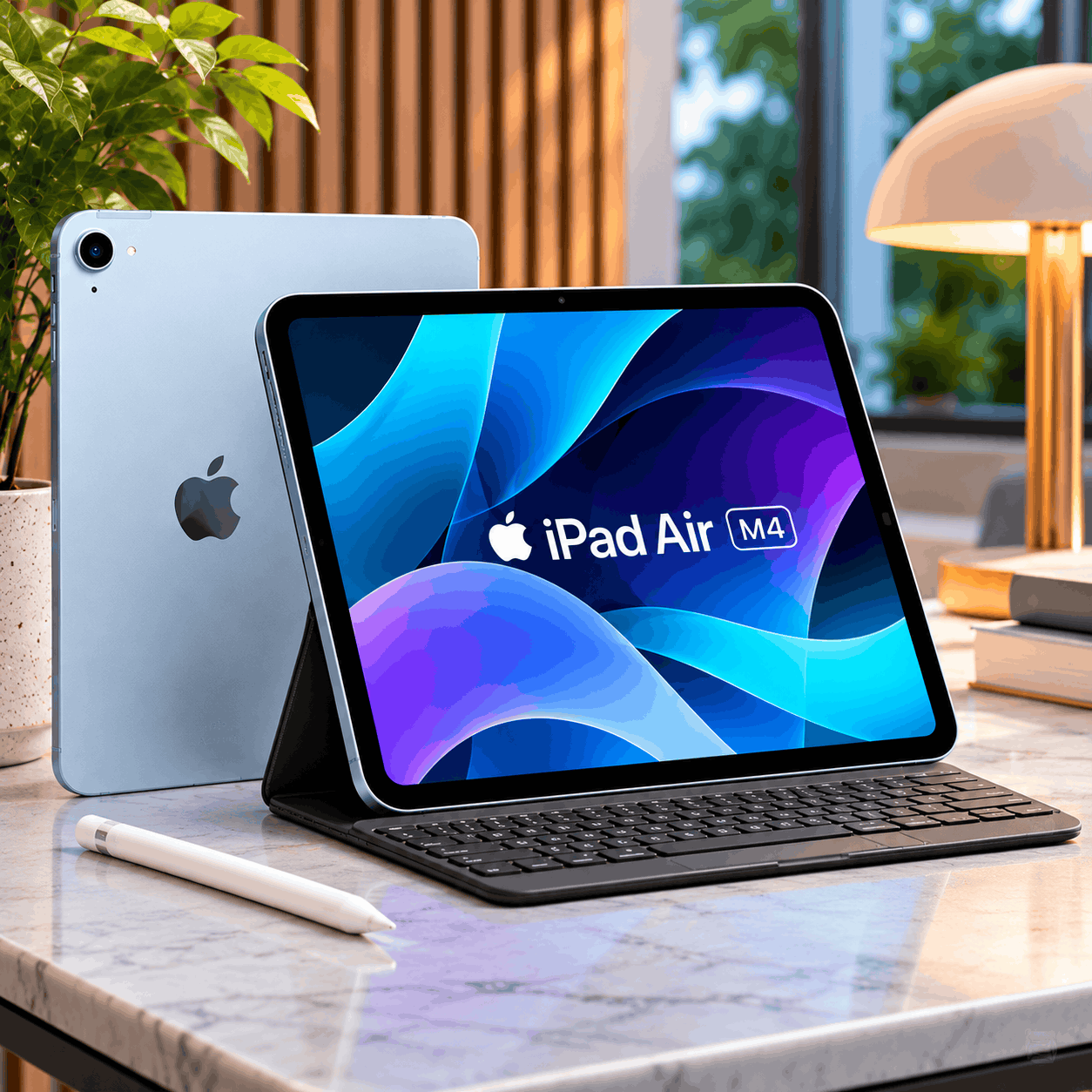
Apple iPad Air M4
View on Amazon ↗Many people need a versatile tablet. It should handle both work and entertainment. Students may also use creative applications.
The Apple iPad Air M4 fits these needs. It combines powerful hardware with portable construction.
The tablet uses Apple's M4 processor. Its standard configuration includes 12GB unified memory. This supports several demanding applications.
The 11-inch Liquid Retina display looks sharp. Apple also offers a larger 13-inch version.
Compatible accessories expand the tablet's uses. Apple Pencil Pro supports drawing and writing. A keyboard can support longer typing sessions.
However, accessories can increase the overall price.
Key Features
Apple M4 Processor
The M4 provides strong processing capabilities. It supports productivity and creative applications. Performance depends on the selected software.
11-Inch Liquid Retina Display
The display provides 2360 × 1640 resolution. True Tone adjusts color appearance automatically. An antireflective coating helps reduce reflections.
12GB Unified Memory
The tablet includes 12GB unified memory. This provides room for demanding applications.
Apple Pencil Pro Support
Compatible users can draw and write digitally. The Pencil also supports specialized creative controls.
Keyboard Compatibility
Compatible keyboard accessories support longer typing sessions. They can improve certain productivity workflows.
USB-C Connectivity
The tablet uses a USB-C port. This supports compatible charging and accessories.
Portable Design
The Wi-Fi model weighs approximately 464 grams. Its slim body suits regular travel.
Product specifications
| Specification | Details |
|---|---|
| Brand | Apple |
| Model | iPad Air 11-inch M4 |
| Release Year | 2026 |
| Display | 11-inch Liquid Retina |
| Display Technology | IPS LCD |
| Resolution | 2360 × 1640 |
| Processor | Apple M4 |
| Unified Memory | 12GB |
| Storage | 128GB, 256GB, 512GB, 1TB |
| Rear Camera | 12MP Wide |
| Front Camera | 12MP Center Stage |
| Apple Pencil Pro | Supported |
| Charging Connection | USB-C |
| Weight | 464g, Wi-Fi model |
| Operating System | iPadOS |
Pros
- Powerful Apple M4 processor
- Portable design
- Sharp Liquid Retina display
- 12GB unified memory
- Apple Pencil Pro compatibility
- Keyboard accessory support
- Multiple storage options
Cons
- Costs more than basic tablets
- Apple Pencil costs extra
- Keyboard accessories add expenses
- No OLED display
- Some desktop applications aren't available
Best For
Students, professionals, and everyday tablet users.
View Apple iPad Air M4 on Amazon ↗
2. Apple iPad A16: Best Affordable iPad
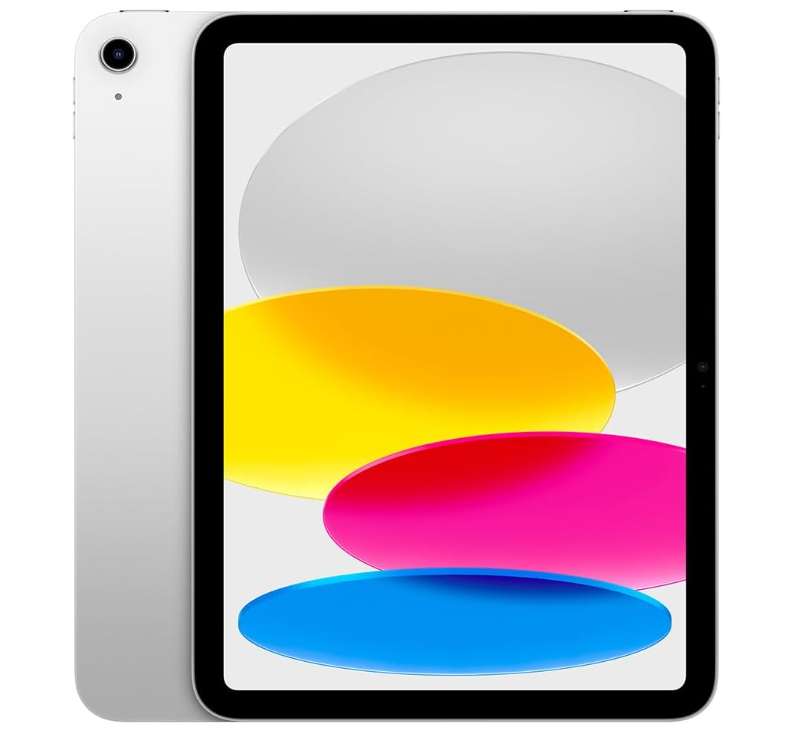
Apple iPad A16
View on Amazon ↗Not everyone needs a powerful tablet. Many people mainly browse and watch videos. Students may also read documents and notes.
The Apple iPad A16 covers these activities. It offers core iPad features without premium hardware.
The tablet includes Apple's A16 processor. Its display measures approximately 11 inches.
Apple provides several storage choices. The base model includes 128GB storage.
The tablet also supports selected Apple Pencils. However, it doesn't support Apple Pencil Pro.
Key Features
Apple A16 Processor
The processor supports common iPad applications. It handles browsing, streaming, and basic productivity.
11-Inch Liquid Retina Display
The display provides 2360 × 1640 resolution. True Tone helps adjust the screen appearance.
128GB Base Storage
The entry model includes 128GB storage. Larger storage options are also available.
Apple Pencil Compatibility
The tablet supports Apple Pencil USB-C. It also supports first-generation Apple Pencil.
Landscape Front Camera
The 12MP front camera supports Center Stage. This helps with compatible video calls.
USB-C Charging
The tablet includes a USB-C connection. It supports compatible charging accessories.
Product specifications
| Specification | Details |
|---|---|
| Brand | Apple |
| Model | iPad A16 |
| Release Year | 2025 |
| Display | 11-inch Liquid Retina |
| Resolution | 2360 × 1640 |
| Processor | Apple A16 |
| Storage | 128GB, 256GB, 512GB |
| Rear Camera | 12MP Wide |
| Front Camera | 12MP Center Stage |
| Apple Pencil USB-C | Supported |
| Apple Pencil Pro | Not supported |
| Wi-Fi | Wi-Fi 6 |
| Port | USB-C |
| Weight | 477g, Wi-Fi model |
| Operating System | iPadOS |
Pros
- Affordable Apple tablet option
- Clear display
- Useful everyday performance
- 128GB starting storage
- Good video call features
- Apple Pencil compatibility
- Multiple color choices
Cons
- Less powerful than M-series iPads
- No Apple Pencil Pro support
- No premium OLED display
- Limited advanced multitasking performance
- Accessories cost extra
Best For
Students and families wanting everyday iPad features.
View Apple iPad A16 on Amazon ↗
3. Samsung Galaxy Tab S10 FE: Best Android Tablet for Students
Samsung Galaxy Tab S10 FE
View on Amazon ↗Digital note-taking is useful for many students. Handwritten notes can organize ideas and diagrams.
However, buying a separate stylus adds expense. Samsung includes an S Pen with this tablet.
The Galaxy Tab S10 FE uses Android. Its 10.9-inch display supports 90Hz refresh rates.
The tablet uses Samsung's Exynos 1580 processor. It supports common productivity and entertainment applications.
Samsung also includes microSD storage expansion. This can help store additional files.
The device carries an IP68 rating. Water and dust resistance follow laboratory conditions.
Key Features
Included S Pen
The S Pen supports handwritten notes. It can also help with digital drawing.
10.9-Inch Display
The LCD provides 2304 × 1440 resolution. Its refresh rate reaches 90Hz.
Exynos 1580 Processor
The processor handles supported Android applications. Performance depends on the workload.
Expandable Storage
The tablet supports microSD card expansion. Maximum supported expansion reaches 1.5TB.
IP68 Rating
Samsung provides rated dust and water resistance. Protection isn't permanent under all conditions.
45W Charging Support
The tablet supports charging up to 45W. Compatible charging equipment is required.
Product specifications
| Specification | Details |
|---|---|
| Brand | Samsung |
| Model | Galaxy Tab S10 FE |
| Display | 10.9-inch LCD |
| Resolution | 2304 × 1440 |
| Refresh Rate | 90Hz |
| Processor | Exynos 1580 |
| RAM | 8GB or 12GB |
| Storage | 128GB or 256GB |
| Expandable Storage | Up to 1.5TB |
| Battery | 8,000mAh |
| Charging | Up to 45W |
| Rear Camera | 13MP |
| Front Camera | 12MP ultrawide |
| S Pen | Included |
| Water Resistance | IP68 |
| Operating System | Android with One UI |
Pros
- S Pen included
- 90Hz display
- Expandable storage
- IP68 rating
- Good note-taking features
- Useful Android multitasking options
- Wi-Fi and cellular configurations
Cons
- LCD instead of AMOLED
- Less powerful than premium flagships
- Charging adapter may cost extra
- Some advanced S Pen functions are unavailable
- Desktop-level tasks remain limited
Best For
Students preferring Android note-taking tools.
View Samsung Galaxy Tab S10 FE on Amazon ↗
4. OnePlus Pad 3: Best Large-Screen Android Tablet
OnePlus Pad 3
View on Amazon ↗Some users want more tablet workspace. Split-screen applications benefit from larger displays.
OnePlus Pad 3 provides a 13.2-inch screen. Its resolution reaches 3392 × 2400 pixels.
The tablet uses a Snapdragon 8 Elite processor. It also provides powerful multitasking capabilities.
The display supports refresh rates up to 144Hz. Its eight speakers support media playback.
OnePlus includes a large 12,140mAh battery. Fast charging support reaches 80W.
However, the larger body reduces portability.
Key Features
13.2-Inch High-Resolution Display
The large display supports detailed visual content. Its 7:5 ratio suits documents and multitasking.
Snapdragon 8 Elite Processor
The processor supports demanding Android applications. It also provides powerful graphics capabilities.
144Hz Refresh Rate
The screen supports high refresh rates. Compatible applications can benefit from smoother motion.
12,140mAh Battery
The large battery supports extended mobile use. Actual endurance depends on usage patterns.
80W Fast Charging
The tablet supports high-power wired charging. Charging equipment and regional models may vary.
Eight-Speaker System
The tablet includes eight integrated speakers. These support movies, games, and music.
Multitasking Tools
OnePlus supports multiple applications onscreen. Optional accessories provide additional productivity options.
Product specifications
| Specification | Details |
|---|---|
| Brand | OnePlus |
| Model | OnePlus Pad 3 |
| Display | 13.2-inch LCD |
| Resolution | 3392 × 2400 |
| Refresh Rate | Up to 144Hz |
| Processor | Snapdragon 8 Elite |
| RAM | 12GB or 16GB, market-dependent |
| Storage | 256GB or 512GB, market-dependent |
| Battery | 12,140mAh |
| Charging | Up to 80W |
| Speakers | Eight |
| Rear Camera | 13MP |
| Front Camera | 8MP |
| Weight | 675g |
| Charging Port | USB-C |
| Operating System at Launch | OxygenOS 15 |
Pros
- Large 13.2-inch display
- Powerful Snapdragon processor
- High refresh rate
- Large battery capacity
- Eight speakers
- Fast charging support
- Multitasking features
Cons
- Larger than compact tablets
- Heavier carrying weight
- No OLED display
- Keyboard and stylus cost extra
- Some configurations vary by region
Best For
Android users wanting multimedia and multitasking.
View OnePlus Pad 3 on Amazon ↗
5. Apple iPad Pro M5: Best Premium Creative Tablet
Apple iPad Pro M5
View on Amazon ↗Creative professionals often need powerful tablet hardware. Illustration and video work can demand resources.
The Apple iPad Pro M5 targets these workflows. It combines premium processing and display technology.
Its 11-inch display uses Tandem OLED. The panel provides deep blacks and contrast.
Apple includes the M5 processor. Storage options range up to 2TB.
The tablet supports Apple Pencil Pro. Compatible keyboards also provide typing options.
However, premium hardware comes with higher costs.
Key Features
Apple M5 Processor
The M5 handles demanding supported applications. Different storage versions have different CPU configurations.
Tandem OLED Display
The display uses Apple's Ultra Retina XDR technology. It supports strong contrast and HDR brightness.
120Hz ProMotion
Adaptive refresh rates provide smooth interaction. Supported rates range from 10Hz to 120Hz.
Apple Pencil Pro
The tablet supports compatible advanced stylus controls. This can help with digital artwork.
Thunderbolt and USB4
The port supports compatible high-speed accessories. External display support is also available.
Four-Speaker Audio
The tablet includes four integrated speakers. This supports media and creative playback.
Premium Storage Options
Configurations range from 256GB to 2TB. Higher capacities may include additional memory.
Product specifications
| Specification | Details |
|---|---|
| Brand | Apple |
| Model | iPad Pro 11-inch M5 |
| Release Year | 2025 |
| Display | 11-inch Ultra Retina XDR |
| Display Technology | Tandem OLED |
| Resolution | 2420 × 1668 |
| Refresh Rate | 10–120Hz |
| Processor | Apple M5 |
| Memory | 12GB or 16GB, configuration-dependent |
| Storage | 256GB, 512GB, 1TB, 2TB |
| HDR Peak Brightness | 1,600 nits |
| Apple Pencil Pro | Supported |
| Connection | Thunderbolt / USB4 |
| Speakers | Four |
| Weight | 444g, Wi-Fi model |
| Operating System | iPadOS |
Pros
- Premium Tandem OLED display
- Powerful Apple M5 processor
- Excellent display contrast
- Apple Pencil Pro support
- Lightweight construction
- Thunderbolt connectivity
- Large storage options
Cons
- Premium pricing
- Accessories cost extra
- Advanced hardware exceeds basic needs
- Desktop software remains limited by platform
- High storage options are expensive
Best For
Designers, artists, and demanding tablet users.
View Apple iPad Pro M5 on Amazon ↗
Which Tablet Should You Buy?
Different tablet users have different priorities. Choose according to your regular activities.
| Your Main Need | Suggested Tablet |
|---|---|
| Everyday performance | Apple iPad Air M4 |
| Affordable Apple tablet | Apple iPad A16 |
| Android note-taking | Samsung Galaxy Tab S10 FE |
| Large Android screen | OnePlus Pad 3 |
| Professional creative work | Apple iPad Pro M5 |
| Reading and browsing | Apple iPad A16 |
| Student productivity | iPad Air or Galaxy Tab S10 FE |
| Movies and entertainment | OnePlus Pad 3 |
| Digital illustration | iPad Air or iPad Pro |
| Portable premium tablet | iPad Pro 11-inch |
The right tablet should match your routine. Consider accessories before making your final choice.
iPad vs Android Tablets: Which Is Better in 2027?
Apple and Android offer different experiences. Both platforms provide useful tablet options.
Why Choose an iPad?
iPads support many creative and productivity applications. They also integrate with Apple's ecosystem.
Apple Pencil compatibility provides useful writing features. However, supported models and features differ.
Accessories can increase the total cost.
Why Choose an Android Tablet?
Android tablets offer more manufacturer choices. Some include a stylus at purchase.
Certain models also support expandable storage. Samsung offers useful multitasking and note-taking tools.
However, update policies vary between manufacturers.
Quick comparison
| Feature | Apple iPad | Android Tablet |
|---|---|---|
| Operating System | iPadOS | Android |
| Manufacturer Choices | Apple | Multiple brands |
| Price Range | Budget to premium | Budget to premium |
| Stylus Support | Selected Apple Pencil models | Model-dependent |
| Expandable Storage | Not available on these iPads | Available on some models |
| App Selection | Apple App Store | Google Play and others |
| Device Integration | Strong Apple ecosystem | Varies by brand |
| Customization | More controlled | Generally flexible |
Neither platform automatically fits everyone. Choose the one supporting your applications.
Common Tablet Problems and Practical Solutions
Problem 1: Tablet Feels Too Slow
Older processors may struggle with demanding applications. Limited memory can also affect multitasking.
Compare processors and installed RAM. Avoid buying hardware below your actual needs.
Problem 2: Storage Fills Up
Videos and games consume considerable space. Creative projects also require additional storage.
Choose suitable internal storage before purchasing. Some Android tablets support microSD expansion.
Problem 3: Writing Feels Difficult
Finger input isn't ideal for handwriting. A compatible stylus offers another approach.
Consider Samsung's included S Pen. Apple Pencil works with selected iPads.
Problem 4: Screen Is Too Small
Smaller displays can limit multitasking. Large documents may feel crowded.
Consider tablets with larger screens. The OnePlus Pad 3 offers 13.2 inches.
Problem 5: Accessories Cost Too Much
Keyboard and stylus accessories can be expensive. Not every tablet includes them.
Compare the complete setup price. Look at compatible accessories before purchasing.
Problem 6: Tablet Cannot Replace Laptop
Some programs require desktop operating systems. Tablets may lack full desktop application support.
Check your software requirements before buying. A laptop may remain the better choice.
How to Choose a Tablet in 2027
1. Set Your Budget
Tablet prices vary across different models. Choose a comfortable spending range first.
Include cases, keyboards, and styluses where needed.
2. Select Your Operating System
Choose iPadOS or Android based on applications. Your existing devices may also matter.
3. Compare Display Size
Smaller screens improve portability. Larger displays offer more viewing space.
4. Review Processor Performance
Basic tasks don't need flagship processors. Demanding creative apps benefit from stronger hardware.
5. Consider Storage
A 128GB model can suit lighter use. Large games and videos require more space.
6. Check Stylus Compatibility
Not every stylus works with every tablet. Advanced pen features also vary.
7. Compare Battery Performance
Battery capacity doesn't tell the complete story. Display and processor efficiency affect endurance.
Review independent tests when available.
8. Consider Keyboard Support
Keyboards can improve longer typing sessions. However, they won't enable every desktop application.
9. Check Wi-Fi and Cellular Options
Wi-Fi-only tablets suit many home users. Cellular models require compatible data service.
10. Review Software Support
Updates affect security and long-term usefulness. Check manufacturer support policies before buying.
Frequently Asked Questions
What are the best tablets in 2027?
Apple and Samsung offer several useful options. OnePlus also offers powerful Android tablets.
The best choice depends on your needs.
Which tablet is best overall?
The iPad Air M4 offers balanced features. However, its value depends on current pricing.
Which iPad is best for students?
The iPad Air suits demanding academic tasks. The standard iPad offers a cheaper option.
Which Android tablet is best for notes?
Galaxy Tab S10 FE includes an S Pen. This supports handwriting and drawing.
Which tablet is best for entertainment?
OnePlus Pad 3 offers a large display. Its eight speakers support media playback.
Is iPad better than Android?
Both platforms have different strengths. Choose according to apps and preferences.
Can tablets replace laptops?
Some tablets handle lighter productivity tasks. Specialized software may still require a laptop.
Do tablets support keyboards?
Many support compatible keyboard accessories. Check the exact model before purchasing.
Do all tablets include a stylus?
No, included accessories vary. Samsung includes the S Pen with Tab S10 FE.
How much tablet storage do I need?
It depends on your activities. Large games and creative files need more.
Are OLED tablets worth buying?
OLED offers deep blacks and strong contrast. However, less expensive displays can still work well.
Which tablet has the largest battery?
OnePlus Pad 3 has 12,140mAh capacity. That's the largest listed here.
Are expensive tablets always better?
No, higher prices don't guarantee better suitability. Features should match your needs.
Should I buy cellular or Wi-Fi?
Wi-Fi works for many everyday situations. Cellular adds connectivity away from Wi-Fi.
How long should a tablet last?
Lifespan depends on hardware and software support. Proper maintenance also matters.